Heads-up before you read: otosreview.com earns a commission if you buy RocketToons through the links here. You pay the same price either way.
When I first wrote down the details of this launch a few days ago, the preview page promised 5,000 credits plus 500 more every month. Today every page the vendor has published says 1,000 credits, with no monthly top-up mentioned. Their own JV doc says the pages “are still being finished, so design, copy and prices can still change before launch.” So the number that counts is the one on the checkout page when the cart opens on Saturday, October 31 at 11:00 AM Eastern.
That credit number matters more than anything else in this funnel, because it decides how much cartoon you can actually make. This page works out what the front end and each upgrade really cost, how far the credits stretch, and when the $37 RocketToons Commercial plan is enough on its own.
What this is based on: the RocketToons sales page preview, the bundle page, the affiliate page and JV doc (all read on October 30, 2026), and the JVZoo checkout for the front end, which was already live with the price showing. The product is not out yet, so nobody outside the vendor’s team has used it, me included.
What RocketToons is, in two paragraphs
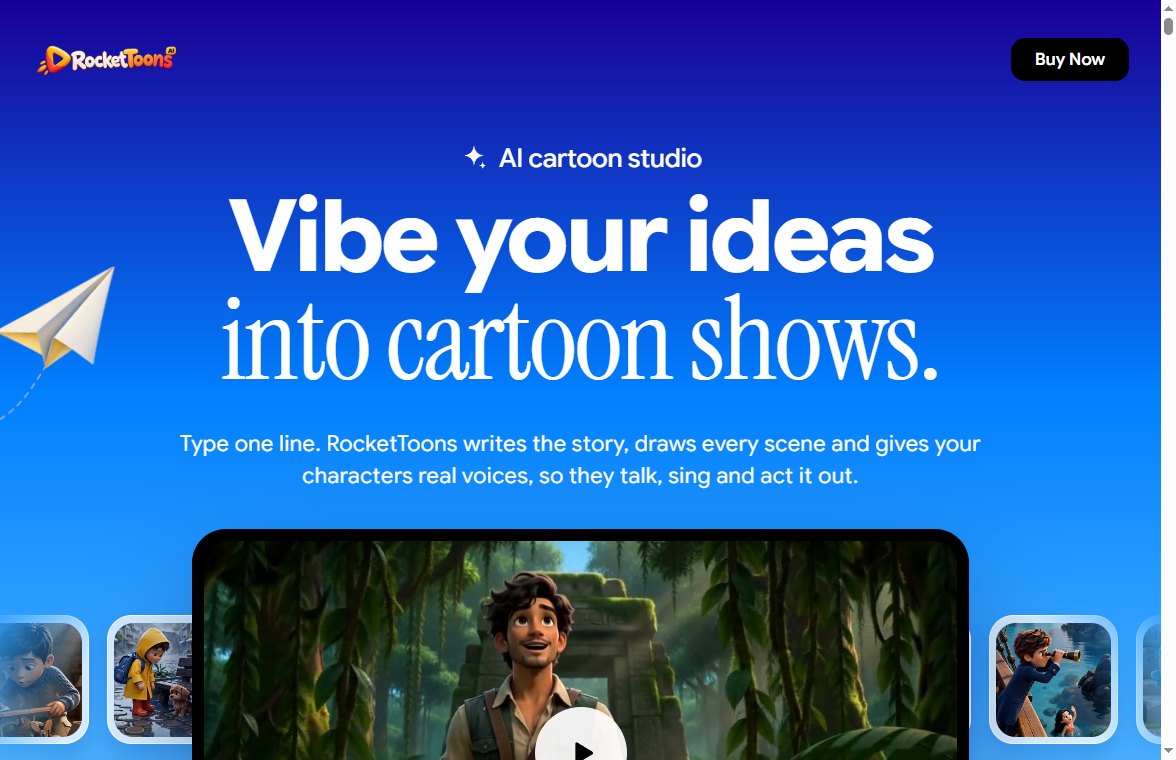
RocketToons is a browser-based cartoon studio from Tim Verdouw and Ankit Mehta (the company behind it is Farfetched Media Labs). You type an idea or paste a script, it writes scenes and dialogue, shows you every scene as a still image first, and only animates the scenes you approve. Characters are saved as a “cast” so the same character looks the same in every scene and every episode. It has 8 art styles (Pixar-like 3D, classic 2D, storybook, Ghibli-like, anime, comic, claymation, preschool 2D), 40 voices with lip-sync in 25 languages, background music, word-by-word captions, and exports in 9:16, 16:9 and 1:1 or posts directly to YouTube, Instagram, Facebook and LinkedIn.
The pitch is aimed squarely at people who want to run a cartoon channel (kids’ stories, Bible stories, explainers) or sell short cartoon ads to local businesses. Every plan includes a commercial license and exports without a watermark.
Every price in the funnel
The funnel has a front end, five upgrades, and a separate bundle that includes all of it. The upgrades are only offered after you buy the front end; the vendor tells affiliates that “upgrades cannot be promoted individually,” so every upgrade link below goes through the front-end checkout first.
| Product | Launch price | What it mainly adds |
|---|---|---|
| Commercial (front end) | $37 (10% off with code EARLYTOONS) | The studio, 1,000 credits, 60-day storage, commercial license |
| Upgrade 1: Elite | $47 | +2,500 credits, no film cap, 15-minute movies, scheduler, 180-day storage |
| Upgrade 2: Pro | $47 | Better video and image engine, 6 more styles, 30 Pro voices, 1080p, 5 team seats |
| Upgrade 3: Studio (Boards) | $37 | Quick standalone clips, animate any photo, extend a video |
| Upgrade 4: AI Agent (MCP) | $37 | Control RocketToons from ChatGPT, Claude and other AI agents |
| Upgrade 5: Reseller | $97 (25 accounts) or $197 (100 accounts) | Sell client accounts under a reseller license |
| Bundle (instead of the above) | $317 ($267 with code TOON50) | Everything, with Reseller 25, 6,000 credits, lifetime storage, 10 seats |
Add up the front end and all five upgrades (with the 25-account reseller) and you get $302. The bundle page puts the “total value” at $1,821. That figure has nothing to do with what the parts actually sell for, so ignore it. The real comparison is $302 bought one by one against $267 for the bundle with the coupon.
How far do 1,000 credits go?
This is the question the sales page answers most carefully, and also the one where the vendor’s pages disagree with each other.
- The sales page FAQ and the JV doc: 1,000 credits make “up to 50 short videos of up to 15 seconds each.”
- The affiliate page: “up to 50 clips of up to 10 seconds each.”
- The bundle page: “50 films up to 3 min.”
The FAQ adds the detail that settles it: credits are charged by video duration in seconds, and you see the cost before anything renders. If 1,000 credits cover 50 clips of 15 seconds, that is 750 seconds, about 12.5 minutes of finished animation in total, or roughly 1.3 credits per second. At 10 seconds per clip it drops to about 8 minutes. Either way, “50 films up to 3 minutes” (150 minutes) is not possible on the front-end allowance.
Put that next to what the funnel promises:
- A single 2-minute episode, like the Moses example on the pre-launch page, would use around 160 credits at the 15-second rate. The front end covers about six episodes that length.
- Elite advertises “15-minute movies.” One 15-minute film is 900 seconds, about 1,200 credits. The front end alone cannot make one. Front end plus Elite (3,500 credits) makes about three.
- The bundle’s 6,000 credits come to roughly 75 minutes of animation, or about 37 two-minute episodes.
These are my estimates from the vendor’s own numbers. The Pro video engine may well cost more per second than the standard one, and the pages do not say.
Is “unlimited films” on Elite really unlimited?
Not in the way it sounds. Elite removes the cap on the number of films (“the 50-film cap is gone”), but every second still costs credits. So the real limit is the credit balance, not the film count. Elite’s actual value is the 2,500 extra credits (which more than triples your total), longer films, 180-day storage instead of 60, and the publishing tools: a content calendar, batch posting to several channels per platform, AI captions and hashtags, and channel analytics.
If you plan to run a channel, those publishing tools and the storage are the reason to take Elite. If you only want to make a few videos for clients and download them, you can skip it.
Which upgrades are worth paying for?
Pro ($47) is the one I would think hardest about. It upgrades the engine itself: “smoother motion, consistent faces and built-in clip audio,” sharper images, 1080p exports, a timeline editor, a voiceover studio, priority rendering and 5 team seats. Quality is what decides whether anyone watches a cartoon past the first five seconds, so if the demo on launch day shows a clear gap between the standard and Pro engines, Pro is the upgrade that earns its price. Watch the live demo with that question in mind.
Studio ($37) is for short standalone clips: animate a product photo, make a meme or reaction clip, extend a video, create B-roll. It is useful if you sell short ads to local businesses, less so if you make story episodes.
AI Agent ($37) lets you drive RocketToons from ChatGPT, Claude, Gemini, Cursor or any MCP-ready agent: write scripts, build storyboards and render clips by chat, with a cost quote and balance check before every job. It is a niche feature. Unless you already work inside an AI agent all day, it saves you very little over using the editor.
Reseller ($97 or $197) gives you 25 or 100 client accounts to sell through a reseller dashboard. It only pays off if you already have buyers lined up. There are two separate links: Reseller 25 and Reseller 100.
When does the bundle make sense?
With the TOON50 coupon the bundle costs $267, which is $35 less than buying the front end and every upgrade separately. It also gives you things you cannot buy one by one:
- 6,000 credits instead of the 3,500 you would get from the front end plus Elite
- Lifetime film storage instead of 60 or 180 days
- 10 team seats instead of 5
- A “Founders’ Pass”: every new feature, style and voice for 12 months, and the plan “stays one-time when RocketToons goes monthly”
- Three bonus content packs and a live training call on selling cartoon videos to clients
That Founders’ Pass line is worth reading twice. It tells you the vendor plans to move RocketToons to a monthly subscription after launch. The front-end FAQ says the plan you buy today has no monthly fee, which is fine, but new features later may go to paying subscribers.
The simple rule: if you would buy three or more upgrades anyway, the bundle is the cheaper way to get them, and the extra credits alone are worth more than the difference. If you would buy one upgrade or none, it is not.
Three ways to buy it, with totals
| Who you are | Buy | Total | Animation budget (est.) |
|---|---|---|---|
| Curious, testing the idea | Commercial with EARLYTOONS | $33.30 | About 12 minutes |
| Starting a cartoon channel | Commercial (with EARLYTOONS) + Elite + Pro | $127.30 | About 44 minutes, Pro quality |
| Selling videos to clients | Bundle with TOON50 | $267 | About 75 minutes, lifetime storage |
Whatever you buy, download your finished films. On the front-end plan they are stored for 60 days, then they are gone from your account.
What should you ask before paying?
The pages leave a few things open. If they matter to you, send these to support before the 30 days run out:
- Can you buy more credits later, and at what price? Nothing on the pages says.
- Does the Pro engine use more credits per second than the standard engine?
- Is there any monthly credit refill? The earlier preview mentioned 500 a month; the current pages do not.
- What exactly happens to films and projects after the 60-day storage period?
One more thing about the sales page: it already shows customer quotes (“I sold three cartoon ads to local shops in my first week”) for a product that has not gone on sale yet. At best those are beta testers. Do not treat them as typical results.
What if it turns out to be a bad fit?
The sales page offers a 30-day money-back guarantee: email support within 30 days and they refund the full payment, and the refund goes through JVZoo. The checkout I saw on October 30 also describes it as “a single payment,” so there is no hidden subscription on the front end.
My plan if I were buying: get the front end with EARLYTOONS, make two or three short episodes in the first week, check how many credits each one really used, and only then decide on Elite and Pro. If the first week shows you want everything, the bundle is the better deal, but remember upgrades are offered right after checkout, so decide on the bundle before you buy the front end.
All RocketToons links in one place
- RocketToons Commercial (front end, $37)
- RocketToons Bundle ($317, $267 with TOON50)
- Elite upgrade ($47, offered after the front-end checkout)
- Pro upgrade ($47, offered after the front-end checkout)
- Reseller 25 accounts ($97)
- Reseller 100 accounts ($197)
Studio and AI Agent do not have separate links yet; they are offered inside the front-end checkout flow.
These are affiliate links, and otosreview.com may earn a commission on purchases made through them. Prices and credit amounts are the vendor’s published launch figures as of October 30, 2026 and may change when the cart opens.
Sales page preview
📅 Never miss a launch again
See every upcoming AI software launch with dates and the full OTO pricing before you buy, and get a free email alert the moment a launch goes live.