Disclosure up front: the TokMax links in the tables below are affiliate links, and I earn a commission if you buy through them. The price at checkout is the same whether you use them or not.
How many credits does the TokMax AI front end come with? The pricing box on the sales page says “5,000 Free Credits (One Time Only)”. The FAQ on the same page says “With the Front-End Plan, you receive 500 credit points”, one point per generated image. That is a tenfold difference on the one number that decides how much you can make before paying again, and the page carries both.
It isn’t the only mismatch. The Fast Pass is described three different ways depending on where you read about it, and three of the five upgrades now sell for less than the launch documents said. So instead of walking through the TokMax upsells one by one, this page puts TokMax next to three similar short-video funnels I’ve already covered, and then looks at which TokMax upgrades still make sense on today’s prices.
I haven’t had an account inside TokMax AI, so nothing here is a verdict on the videos. My sources are the TokMax sales page and every JVZoo checkout in the funnel, opened on November 9, 2026, the vendor’s JV doc, my launch-day price checks from October 24, and my own posts on the other three products.
TokMax next to ViralForge, TwinClips AI and Faceless Forge
All four were sold on JVZoo between July and October 2026 to people who want short-form video without filming themselves. They go about it very differently.
| TokMax AI | ViralForge | TwinClips AI | Faceless Forge | |
|---|---|---|---|---|
| Vendor | Dr. Amit Pareek and Atul Pareek | Abhi Dwivedi (VineaSX) | Adrian Isfan | Andrew Darius (Marketro) |
| Approach | Cloud app: one line of text becomes a faceless video, then a scheduler posts it to TikTok | Turns one trending video into about 25 of your own, plus a Shorts trend scanner | Vertical 9:16 videos sized for TikTok, Reels and Shorts | A skill for a free open-source agent on your own computer that scripts, builds and posts videos |
| Platforms it posts to | TikTok | Not covered in my post | Not covered in my post | YouTube, Instagram, TikTok, Facebook, Threads |
| Entry price | $38 (Nov 9) | $37 (launch) | $67 (Nov 4) | $27 (Nov 5) |
| What limits the entry plan | Credits (5,000 or 500, see above) | Usage limits, lifted by a $97 Unlimited upgrade | 500 credits | One channel |
| Refund window | 30 days | Not covered in my post | 60 days | 30 days |
| All-upgrades option | Fast Pass $230 | Fast Pass $230 or xBundle $317 | No all-in bundle; Pro $127 | Bundle $297 |
| My write-up | This page | ViralForge OTOs | TwinClips AI after launch | Faceless Forge after launch |
Two things stand out. TokMax is the only one of the four built around TikTok specifically, with posting, a content calendar and TikTok analytics in the front end. If TikTok is your only channel, that focus is the argument for it. If you want YouTube Shorts or Instagram too, Faceless Forge posts to five platforms, and TwinClips makes vertical video sized for all three short-form feeds.
The second is that TokMax and ViralForge both sell a $230 Fast Pass. Whether that’s coincidence I can’t say, but it makes the comparison easy: in both funnels the Fast Pass is the “everything after the front end” option, so what matters is what each one actually contains.
What does the $38 TokMax front end include?
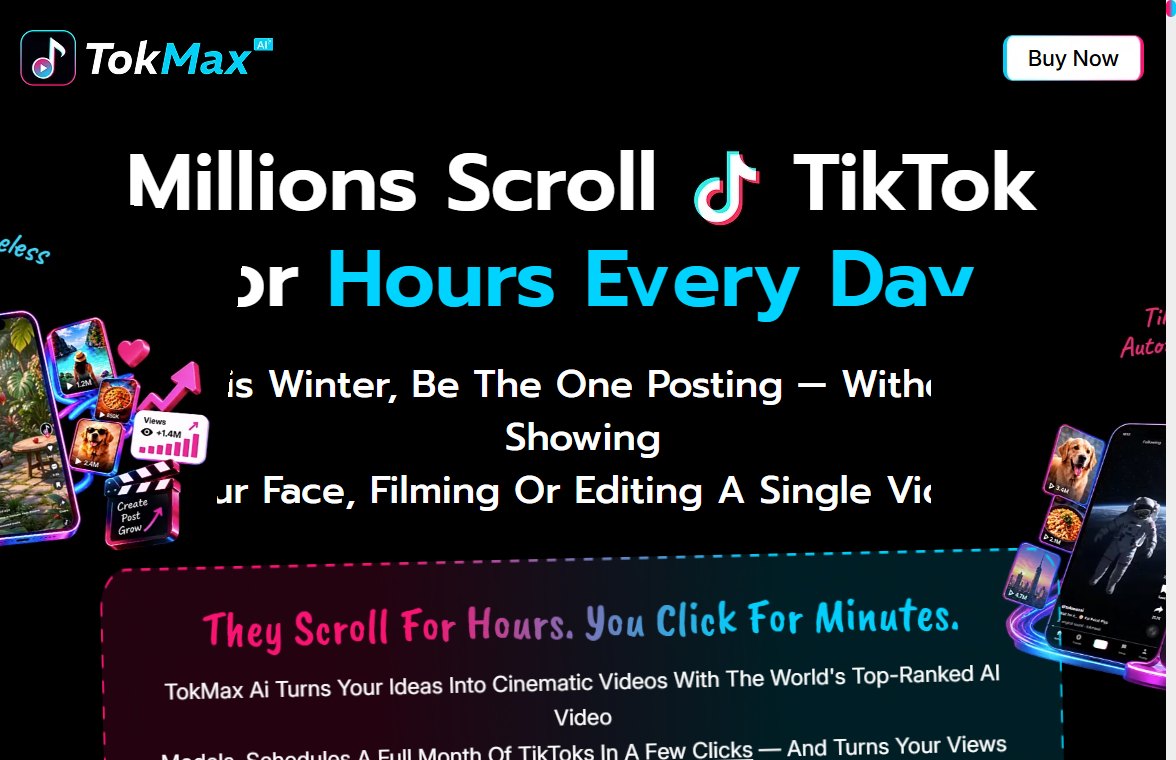
The front end is called TokMax AI Creator. The checkout lists it at $38.00 as a single payment on November 9. On launch day, October 24, I saw $37.00 before the cart opened and $37.20 and $37.40 once it did, so the price has crept up by about a dollar in sixteen days. The sales page still advertises a coupon, TOK2, for $2 off. I haven’t run it through a checkout, so I can’t tell you whether it still works.
According to the sales page, the front end includes:
- An AI video creator that starts from a keyword, topic, product, image, script or URL
- A TikTok scheduler with bulk scheduling and a content calendar (upcoming, scheduled, published, failed)
- Script, hook, caption and hashtag writing, plus an “AI content agent” for ideas and posting strategy
- A built-in editor (trim, split, crop, resize, captions, music, voiceovers) and a video library
- TikTok analytics (views, likes, comments, shares, engagement) and content recommendations
- Cloud hosting, a commercial license, and the credits discussed above
You don’t need an existing TikTok account or followers; the FAQ says you can connect a new one. It also says TikTok asks for realistic AI-generated videos to be labeled as AI-made when you post, which is worth knowing before you plan a channel around them.
Which credit figure is right?
I don’t know, and the vendor’s own documents don’t settle it. The JV doc I read on October 23 says the front end comes with 5,000 credits, which matches the pricing box. The FAQ’s 500 points, with “1 credit point = 1 generated image”, reads like text from another product. The same FAQ answers a question about OpenAI keys by talking about creating “20-30 Books having 5000 characters each”, and the commercial-license section tells you to “Command Tube Claw to Create Professional YouTube Videos”. Neither is a TikTok product.
None of these figures tells you what a video costs in credits. The FAQ only says that when credits run out you can “top up inside your dashboard at member rates”. Before buying, I’d ask support two things: how many credits a typical 30 to 60 second video uses, and what a top-up costs. Without those, neither 5,000 nor 500 means much.
What is in the Fast Pass, really?
Three sources, three answers:
- The order bump on the front-end checkout (November 9): $230 for “All 7 Upgrades Plus 10,000 extra TokMax AI credits”: Faceless, Power, AutoTraffic, Done-For-You, Whitelabel, VIP Training and a Fast-Action Bonus Pack.
- The sales page FAQ: the Fast Pass includes “OTO1, OTO2, and OTO3” and gives “500 new credit points every month, just like the Elite Plan”. There is no Elite Plan anywhere in this funnel.
- The JV doc (October 23): OTO 1 to 5 plus 30,000 credits.
The checkout is the document you actually pay against, so I’d give it the most weight. But 10,000 one-off credits, 30,000 credits, and 500 a month are very different deals. Screenshot the order bump text before you pay so you have a record of what was offered.
TokMax upgrade prices, launch documents vs checkout today
Every link in this table goes to that product’s page in the TokMax funnel. Prices in the last column are from the JVZoo checkout for each product on November 9, 2026; all are single payments.
| Product | What it adds (checkout wording) | JV doc, Oct 23 | Checkout, Nov 9 |
|---|---|---|---|
| TokMax AI Creator (front end) | The app, scheduler, credits, commercial license | $37 | $38 |
| OTO 1: Faceless | Faceless TikTok channels with AI videos | $47 | $37 |
| OTO 2: Power | More capabilities and higher limits | $37 | $37 |
| OTO 3: AutoTraffic | A repeatable content workflow aimed at reach | $47 | $27 |
| OTO 4: Done For You | The vendor’s team sets up your TokMax business | $97 | $67 |
| OTO 5: Whitelabel Agency | Your own branded agency offering | $97 | $97 |
| Fast Pass | All upgrades plus extra credits (see above) | $230 | $230 |
| Mega Bundle | Expanded credits and “unlimited” storage, traffic tools, faceless workflows, clients and team members | $147 | $147 |
Faceless, AutoTraffic and Done For You are all cheaper at checkout than the JV doc said, by $10, $20 and $30. That’s the reverse of the usual pattern, where prices rise after launch week. It also changes the Fast Pass maths.
Does the Fast Pass still save money?
Barely, if you only count the five OTOs. At today’s checkout prices, Faceless, Power, AutoTraffic, Done For You and Whitelabel add up to $265. The Fast Pass is $230, so it saves $35. At the JV doc’s prices the same five came to $325, a $95 saving. The checkout calls the Fast Pass an “81% discount”, which only comes close if you count the VIP Training and the bonus pack at their stated values of $497 and $697.
So whether the Fast Pass is worth it comes down to two things. Do you want Whitelabel and Done For You, which are $164 of the $265? And are the 10,000 extra credits real? If you only want Faceless and Power, buying those two separately is $74, a third of the Fast Pass price.
Where does the Mega Bundle fit against the Fast Pass?
This is the part of the funnel I’d be most careful with. The Mega Bundle is $147 and its checkout lists expanded credits plus unlimited storage, traffic tools, faceless workflows, client creation and team management, “analytics, templates and agency access in one upgrade”. Read literally, that covers much of what Faceless, AutoTraffic and Whitelabel sell separately. It doesn’t mention the Done For You setup.
Nothing on the sales page or the checkouts says whether the Mega Bundle and the Fast Pass overlap or stack. If they overlap, buying both means paying twice for the same features. That’s a question for support, not a guess for me to make. Until you have an answer, buy one or the other.
Which of the four would I pick for each kind of buyer?
- TikTok only, one account, testing the idea: TokMax front end alone at $38. It’s the only one of the four with TikTok scheduling and analytics built in, and you have 30 days to request a refund through the support desk.
- Several platforms, comfortable running software on your own computer: Faceless Forge’s $27 core covers one channel; my post on it explains why two channels cost at least $91.
- Want a longer refund window to work out the credit costs: TwinClips AI at $67, with 60 days to decide.
- Remixing proven trends rather than starting from a text prompt: ViralForge’s approach fits better.
- TikTok as a client service: TokMax front end plus Whitelabel ($38 + $97 = $135), or the Fast Pass if you also want the vendor’s setup service. The commercial license on the front end already lets you make videos for clients; Whitelabel is about branding the offering as your own.
Is TokMax a monthly subscription?
No, at least not today. Every checkout in the funnel says “This is a single payment”. The sales page repeatedly shows “$197 Monthly” next to “One-Time Payment”, which reads as a crossed-out comparison price rather than a charge. Its FAQ defines “lifetime” as “the lifetime of the product”, which it estimates at “approximately 5 years”.
Who is behind it, and how do you reach support?
Dr. Amit Pareek and Atul Pareek, who sell on JVZoo under their own names. The sales page lists support@oppyo.com for questions; refunds are requested by raising a ticket on the support desk within 30 days.
A last reminder that the TokMax links on this page earn otosreview.com a commission when someone buys through them. I’ve tried to show you the cheapest sensible path anyway, and for most people that’s the front end and nothing else until the credit question is answered.
📅 Never miss a launch again
See every upcoming AI software launch with dates and the full OTO pricing before you buy, and get a free email alert the moment a launch goes live.