Affiliate note: otosreview.com is a JVZoo affiliate for Timeline AI. If you buy through the link on this page I receive a commission, and the price you pay does not change.
On November 9, 2026, the JVZoo checkout for Timeline AI charged $327. The sales page it sits behind still said $267, with a struck-out $397, a midnight countdown and the line “Price increases at midnight tonight.” The cart was meant to close on October 23. So the first piece of fine print is the price itself: the number on the sales page is not the number on the order form.
The second piece matters more, and it is easy to miss because it appears once, in small type, halfway down a long page. Timeline AI renders finished videos as 720p MP4. For a tool whose whole pitch is long-form, horizontal YouTube video up to 20 minutes, that is the limit I would weigh first.
This page is about limits like that one: quotas, costs that continue after purchase, licence terms, refund wording and the questions the sales page leaves open. It is built from the vendor’s sales page (thetimelineai.com/live), the affiliate partner page (thetimelineai.com/jv), the JVZoo checkout as I saw it on October 18, October 19 and November 9, and the approved-products list in my JVZoo affiliate account. I have no access to the software, so this is not a hands-on review and I make no claims about output quality.
Where to click
Timeline AI bundle on JVZoo: $327 one-time at checkout on November 9, 2026 (the sales page still shows $267).
The two upgrades, Timeline AI Unlimited and Timeline AI DFY, are only offered after the front-end checkout. JVZoo gives affiliates no separate link for either, so there is nothing else to click until you have bought the front end.
What resolution and format do the videos come out in?
720p. The feature list says chapters “render in parallel in the cloud and come back as one finished 720p MP4 with SRT captions”, and the “1-Click Render” section repeats “720p MP4, captions, title, description, tags and thumbnail”. Nowhere on the page is 1080p or 4K mentioned, and there is no upgrade sold as a resolution boost.
Whether 720p matters depends on what you are making. A narrated explainer built from stock footage and animations can get away with it. A channel that competes on visual quality, or a client who expects 1080p deliverables, will notice. If resolution matters to you, this is the first question for support, and it is worth asking before the 30-day refund clock starts.
The format is also fixed in the other direction. The comparison table lists “Edits Full-Length 16:9 Videos (Up To 20 Mins)” as the headline capability, and the partner page sells it on being the only tool that “EDITS full-length horizontal YouTube videos”. Nothing on either page mentions vertical output. If you want Shorts, Reels or TikTok clips from the same project, assume you will need a second tool unless support says otherwise.
Other hard numbers on the page, taken as the ceilings they are:
- Videos up to 20 minutes long.
- 84 scenes per video (the page also says “80+”), from 10 media types.
- 46 AI voices, up to 3 takes per script section.
- 9 script types, from YouTube content to VSLs and webinars.
- The YouTube Researcher analyses 3 to 10 competing videos per project.
How far do 2,670 credits go?
The sales page does not say, and that is the biggest gap in it. The bundle includes “2,670 Timeline credits”, which cover “cloud rendering, clip sourcing and research scans”. Separately, the page and its income disclaimer quote costs in cents:
- A movie-clip search: 16 cents (the page’s own test returned 3 usable clips out of 3).
- An animated scene render: under 2 cents.
- Voice-over: $0.10 per 1,000 characters.
- A “traffic campaign”: about 11 cents, according to the partner page.
What is missing is the bridge between the two: how many credits equal a cent. Without that, 2,670 credits could be a lot or very little.
The cent figures do let you estimate what a video costs to produce, at least by the vendor’s numbers. Take a 20-minute narrated video. At a typical speaking pace of about 150 words a minute, that is roughly 3,000 words, or around 18,000 characters of script. At $0.10 per 1,000 characters, the voice-over is about $1.80. Eighty-four animated scenes at under 2 cents each add less than $1.70. A few movie-clip searches add 16 cents apiece. So a long video sits somewhere in the low single dollars of underlying cost, more if you re-record sections or regenerate scenes.
That is cheap compared with paying an editor. It is not free, which brings up the next point.
What does “no monthly fees” mean when the page also says “crumbs per video”?
It means there is no subscription, but there is a usage cost once the included credits are spent. The sales page uses both phrases. The headline promise is “One-time price. No monthly fees.” The comparison table puts Timeline AI at “One-Time $267 + crumbs per video”, and further down: “no monthly fees, just crumbs per video”.
The page also says the heavy lifting is “bundled in, on us”, which suggests you do not need your own API keys. But the platform disclaimer names the services underneath (OpenRouter, Fal, DataForSEO, Pexels, Brave, ScrapingBee and Zernio) and says “their availability and pricing may change”. The AI output notice adds that model “behaviour, pricing and availability are controlled by third-party providers and may change without notice.”
Put together: you pay once for the software and a starting balance of credits, then you top up as you use it, at prices tied to providers the vendor does not control. What a top-up costs is not on the sales page. I would want that number before buying, because it is the real long-term price of the tool.
What are the two upgrades, and what do they remove?
Nobody outside the funnel knows exactly, which is a problem in itself. My JVZoo affiliate account lists two approved upsells, Timeline AI Unlimited and Timeline AI DFY, and JVZoo describes the product as having a funnel of “up to 2 other products”. Neither has a standalone affiliate link, and neither price is published.
The partner page contradicts itself about them. In one place it says “One simple lifetime bundle. No monthly fee, no confusing upgrade path”. In the next section it says “Half of every $267 sale lands straight in your account, plus the OTO”, and then “the OTO stacks another $267 on top”. So there is at least one upsell, and the vendor is telling affiliates it costs around $267.
The name “Unlimited” raises an obvious question: unlimited what? The front-end sales page does not list a monthly video cap, a scene cap beyond 84, or a research cap. If the front end has limits that Unlimited removes, they are not written down where a buyer can see them before paying. The only quota on the page is the credit balance. If Unlimited is really about credits, its value depends entirely on the credit price I could not find.
DFY normally means done-for-you content or templates in these funnels, but I have nothing from the vendor to confirm what this one contains, so I won’t guess.
The practical advice: budget for the front end only, and treat the upgrade pages as something you evaluate on the spot. You can decline both and keep the full core product, according to the “everything unlocked” wording on the sales page.
What does it cost today, and which page is right?
The checkout is right, because that is what charges your card. Here is how the price has moved by my own records:
| Date | Price | Where I saw it |
|---|---|---|
| Oct 18, 2026 | $267 | JVZoo checkout before the cart opened; partner page “$267 per sale” |
| Oct 19, 2026 (launch) | $267 | Live JVZoo checkout, no order bump |
| Oct 23, 2026 | Cart close | Per the partner page: “Closes: Fri 23 Oct midnight EST” |
| Nov 9, 2026 | $327 | JVZoo checkout; sales page still says $267 |
The sales page says three different things about the post-launch price. It promises “FULL Price Tomorrow” and says that after launch “it reverts to full price”, with $397 shown as the full price. It also says “After launch, each product component sells separately a total of $6,997+”. What actually happened is neither: the cart stayed open and the bundle went up $60 to $327, still as one product.
Two smaller notes on the checkout. The partner page describes the price as “INCREASES DAILY”, so $327 may not be the last number. And depending on where you are, JVZoo may add VAT on top; on my European connection the checkout added an estimated VAT line to the $327 subtotal. Where no VAT applies, the subtotal is the total.
How risky are the movie clips and YouTube clips?
Risky enough that the vendor put a warning in its own disclaimer. Two of the ten media types are real YouTube clips and movie clips, and “Describe A Movie Scene, Get The Clip” is one of the most promoted features. The AI output notice at the bottom of the page says: “Film and YouTube footage can attract YouTube copyright claims; Timeline AI warns you each time you use it.”
That is an honest disclosure and it deserves credit. It also means the tool will happily put footage into your video that can get the video claimed, demonetised or worse. The commercial-rights promise (“keep 100%”) covers what you do with Timeline AI’s output; it cannot give you rights to a film studio’s footage. If you plan to use the tool for client work or for a channel in the YouTube Partner Programme, the safer default is to stick to the other eight media types: animations, stock video and photos, web images, AI images, AI video, website scroll-throughs and your own uploads.
The same applies to the “clone” language. The JVZoo checkout describes the product as AI agents that “locate find, reverse-engineer, clone, and publish winning YouTube videos”, and the sales page headline is about running “The Cloned Video On YOUR Channel”. In the body copy the Researcher is more modest: it reads competing videos’ titles, thumbnails and transcripts and extracts patterns. Using patterns is normal research. Republishing something close to another creator’s video is a different thing, and YouTube’s own rules on reused content apply to you, not to the software vendor.
What does the refund guarantee actually say?
Thirty days, and the two sources agree on the length. The JVZoo checkout says the product “has 30 days return policy and will be handled by the product vendor”. The sales page says: “If you don’t finish that first video thinking ‘that looks like a production team made it’ email us within 30 days for a full refund. No questions asked.”
The wording is a little odd, a condition followed by “no questions asked”, but in practice it reads as an unconditional 30-day refund requested by email to the vendor. Thirty days is long enough to render several videos and check the 720p output, the credit burn rate and the price of a top-up. If you buy, do those three things in week one.
What does the licence allow?
Commercial use, including client work. The sales page lists “Full Commercial Rights Included” and says you can “make videos for clients, build a video agency, run affiliate reviews, keep every dollar you earn from it”. JVZoo lists only Unlimited and DFY as upsells, with no separate agency or reseller licence, so client work appears to be covered by the front end.
Two caveats. First, the copyright point above: commercial rights to the output do not extend to third-party footage inside it. Second, the income disclaimer is clear that the “real results” on the page are not typical. The “$5,000,000+ in video-driven sales” headline under “REAL RESULTS FROM TIMELINE AI” is not attributed to anyone, so I would not read it as a customer result.
Where the marketing gets its own numbers wrong
Some of the arithmetic checks out. The value stack (Core $4,997 plus the YouTube Researcher at $2,000+) does add up to the $6,997+ claimed, and “$130 off” is the difference between $397 and $267. The rest is looser:
- The commission headline. The partner page says “$267 PER SALE” and “YOU EARN $267” next to “50% COMMISSIONS”. At 50% of $267, an affiliate earns $133.50, not $267.
- The prize pool. The headline says “$3,000 in cash prizes”. The listed pools are $3,250 for the opening contest and $1,400 for the closing one, $4,650 in total. Each pool adds up on its own; the headline does not match either.
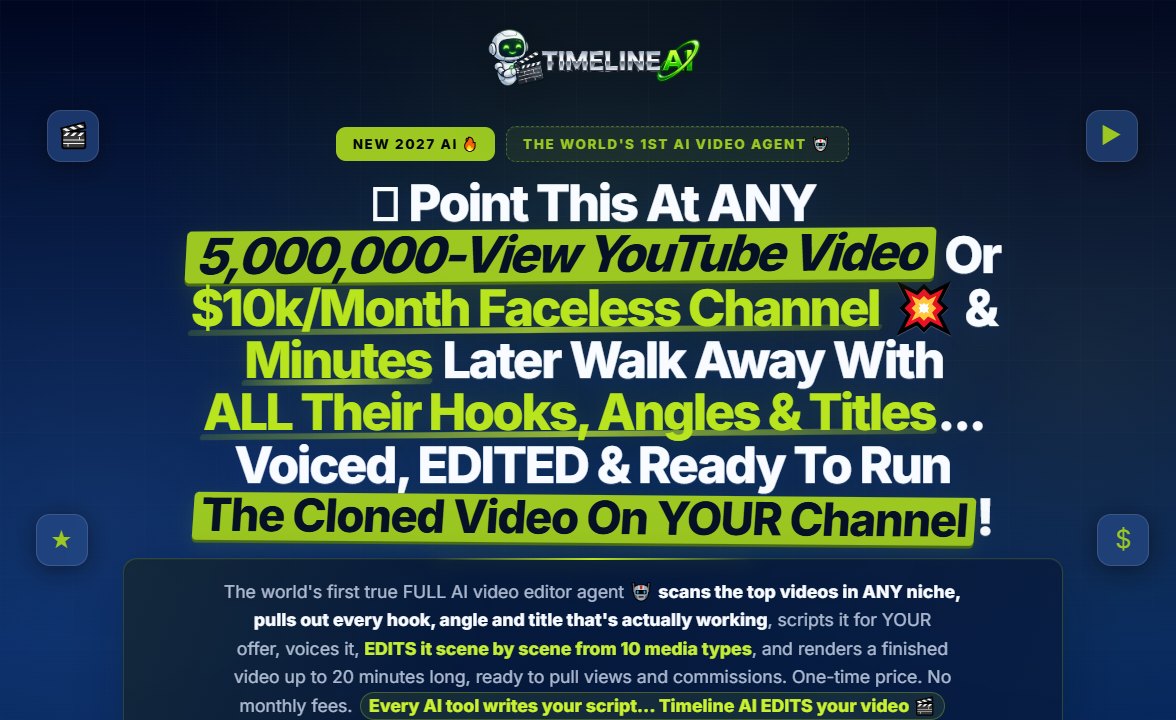
- The year. The sales page badge reads “NEW 2027 AI” in November 2026.
- The demo slot on the partner page still reads “VIDEO: paste your embed URL in the Composer”, a template placeholder left in place three weeks after launch.
These are mostly affiliate-facing slips and they do not change what a buyer gets. They do suggest the pages were built fast, which is one more reason to trust the checkout and the refund policy over the copy.
Who is selling it?
The JVZoo vendor of record is Memeplex Limited. The partner page credits Chris X as lead vendor (“Architect of Timeline AI. Creator of Watch Monster.”) and Rich Williams as co-founder and marketing strategist, and claims “$20M+ in online revenue” and “100,000+ JVZoo sales” for the team. I have not covered an earlier launch from this team on this site, so I have no price history of my own to compare against. Support requests go to the vendor, not JVZoo, per the checkout terms.
Questions to send support before you pay
- How many credits does one cent of usage cost, and what does a credit top-up cost?
- Is 1080p rendering available, or planned? Is vertical (9:16) output possible?
- What exactly does Timeline AI Unlimited remove, and what does it cost?
- What does Timeline AI DFY contain?
- Is there a monthly limit on renders or research scans on the front end, separate from credits?
- If a third-party provider raises its prices, do credit costs per action change?
- Can you turn off the movie-clip and YouTube-clip sources per project, for client work?
My take
Timeline AI is aimed at a real gap: most AI video tools on JVZoo make short vertical clips or slideshows, and this one is built for long horizontal videos with frequent scene changes. If that is the format you need and you are comfortable with 720p, $327 one-time is a defensible price for software that, by the vendor’s own cost figures, produces a long video for a few dollars of usage.
I would not buy it without answers on credits and top-up pricing, because that is where the long-term cost sits, and I would skip both upgrades until the vendor says in writing what they change. If you do buy, use the 30 days: render a full-length video early, check the resolution and count how many credits it used.
Before you click anything above: the Timeline AI link on this page is an affiliate link, and I am paid a commission by JVZoo if you buy through it. Prices quoted were checked on November 9, 2026 and may have changed since.
📅 Never miss a launch again
See every upcoming AI software launch with dates and the full OTO pricing before you buy, and get a free email alert the moment a launch goes live.